Real devices vs emulators: when mobile testing needs a real phone
Emulators are great for quick checks during development. But some of the bugs that hurt users most only appear on a real phone, with a real GPU, GPS and network.
 OneGreen Team4 min read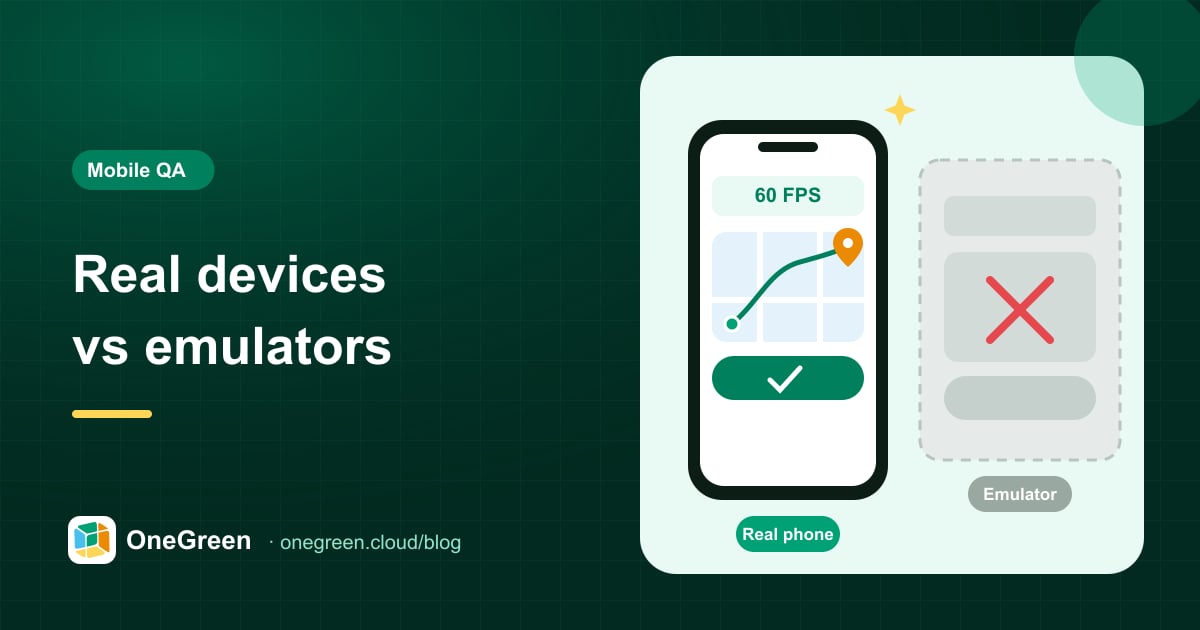
On this page
Emulators and simulators are one of the best productivity tools a mobile developer has. They boot in seconds, cost nothing and plug straight into the IDE. Yet many of the bugs that reach production, and many of the flows that matter most to users, simply do not show up on them.
This guide looks at where emulators fall short, where they are perfectly adequate, and how to decide which tests need a real phone.
Why emulators are not enough
An emulator imitates a device in software. It reproduces the operating system faithfully, but not the hardware, the mobile network or the many small differences between phone models. For whole categories of apps, such as mobile games, driver apps and ordering apps, those differences are exactly where things break.
Flows that need a real phone
Game performance, graphics and heat
Games stress the GPU, memory and battery far more than typical apps. Frame rate drops during busy scenes, shader glitches on specific chipsets, slow asset loading and thermal throttling after ten minutes of play are all hardware problems. An emulator running on a powerful workstation hides almost all of them.
Touch, gestures and input feel
Swipes, drags, pinch-to-zoom, long presses and multi-touch behave differently on a real touchscreen than with a mouse. In games and map-heavy apps, small differences in gesture handling decide whether the experience feels responsive or frustrating.
GPS, location and maps for driver apps
A driver or delivery app depends on location: going online in the right area, receiving nearby trip requests, showing the route to the pickup point and tracking progress. Real devices reveal issues with location permissions, slow GPS fixes, map rendering and the app being stopped in the background while navigating.
Push notifications and background behaviour
New trip requests, order status updates and game events often arrive as notifications. Delivery depends on the OS version, battery optimisation and manufacturer-specific background rules. A notification that arrives instantly on an emulator may be delayed or dropped on a real phone with aggressive power management.
Performance on mid-range phones
Real users run your app on phones with limited memory and other apps in the background. Slow cold starts, janky scrolling in long product lists and out-of-memory crashes are far more visible on real hardware.
Manufacturer skins and real networks
Android manufacturers customise permission dialogs, battery settings, fonts and keyboards. Combine that with switching between Wi-Fi and mobile data or weak signal while placing an order, and you get behaviours an emulator will never reproduce.
When emulators are perfectly fine
None of this means emulators should go away. They are the right tool for:
- Fast feedback while developing a screen or component.
- Layout checks across many screen sizes and OS versions early on.
- Unit and instrumentation tests that do not depend on hardware, location or real performance.
- Debugging, where breakpoints and quick restarts matter more than realism.
A healthy strategy uses emulators for speed early in the cycle and real phones for confidence before release.
Side-by-side comparison
| Aspect | Emulator / simulator | Real phone |
|---|---|---|
| Cost and setup | Free, instant | Requires devices and upkeep |
| Game FPS, GPU and heat | Not realistic | Real chipset and thermals |
| Touch and gestures | Mouse approximation | Real touchscreen |
| GPS and background location | Mocked coordinates | Real behaviour and permissions |
| Push notifications | Partial | Real delivery behaviour |
| Performance realism | Low | High |
| Manufacturer differences | Not reproduced | Reproduced |
The real cost of real devices
If real phones are better for these flows, why don't more teams use them? Because running your own device lab is a chore: buying and refreshing phones, keeping them charged and updated, and making devices available to remote testers. On top of that, someone still has to execute the tests, manually or with scripts.
That is the gap Green Phone Agent is built for. Tests run on real phones that OneGreen owns and operates in its device lab, and an AI agent executes your test cases from plain-language descriptions. You get real-device confidence without owning devices or writing scripts.
Which real devices should you test on?
You do not need hundreds of phones to get most of the benefit. A small, well-chosen set covers the majority of real-world problems:
- Start from your analytics. Look at which brands, models and OS versions your actual users have, not the global market. The top handful usually accounts for most of your sessions.
- Include a mid-range and a budget Android phone. Performance, memory and heat issues appear there first, especially for games.
- Cover at least two Android manufacturers. Different skins handle permissions, battery optimisation and background work differently, which matters a lot for driver apps.
- Keep one older OS version in the mix. Users update more slowly than development teams expect.
- Test at least one iPhone if you ship on iOS, ideally not the newest model.
Review the list every few months as your user base and the market change.
Checklist: does this test need a real phone?
Run it on a real device if the answer to any of these is yes:
- Is frame rate, graphics quality or device heat part of the experience?
- Does it rely on complex gestures, multi-touch or precise timing?
- Does it use GPS, maps or location in the background?
- Does it depend on push notifications or background behaviour?
- Does it involve switching networks or poor connectivity, for example during checkout?
- Are performance, memory or battery part of the acceptance criteria?
- Have users reported bugs on specific phone brands?
If you answered yes more than once, those journeys belong on real phones in every release cycle. Want to see it on your own app? Book a demo.